
Download Paperz – AI‑Powered Research Writing Assistant
Overview
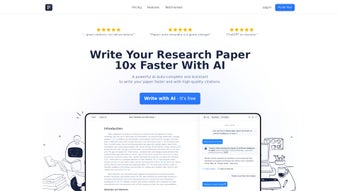
Paperz is a cloud‑based, AI‑driven writing companion built specifically for academic researchers, graduate students, and anyone who regularly drafts scholarly papers. By leveraging a massive corpus of peer‑reviewed articles, the platform offers real‑time autocomplete suggestions that help you overcome writer’s block, maintain academic tone, and accelerate the drafting process. Unlike generic grammar tools, Paperz understands citation conventions, research structures, and domain‑specific terminology, making it a true “research partner” rather than a simple spell‑checker.
The subscription model grants unlimited access to the AI engine, citation database, and advanced document‑analysis features, ensuring that each user receives continuous updates, security patches, and new research integrations without additional cost. Users consistently praise the intuitive interface, which combines a clean text editor with one‑click citation insertion and a “paper explorer” that can fetch related literature or summarize existing drafts on demand. Whether you are preparing a conference abstract, a full journal article, or a dissertation chapter, Paperz aims to streamline every stage—from literature review to final reference list—while keeping your work compliant with major style guides such as APA, MLA, and Chicago.
Its web‑first design means you can work from any device with an internet connection, and the secure cloud storage guarantees that your drafts are protected by end‑to‑end encryption. In short, Paperz positions itself as the go‑to AI writing assistant for the scholarly community, promising speed, accuracy, and credibility in one integrated solution.
Key Features
- AI Autocomplete Engine: Generates context‑aware sentence fragments and paragraph suggestions based on a database of millions of published papers.
- Smart Citation Integration: Instantly insert properly formatted citations from peer‑reviewed sources with a single click.
- Paper Explorer: Request related articles, summaries, or thematic breakdowns directly within the editor.
- Style Guide Compatibility: Supports APA, MLA, Chicago, IEEE, and many journal‑specific formats.
- Collaborative Workspace: Share drafts with teammates, leave comments, and track changes in real time.
- Secure Cloud Storage: All documents are encrypted at rest and in transit, complying with GDPR and FERPA standards.
- Cross‑Platform Access: Works on any modern browser, with mobile‑optimized views for tablets and smartphones.
- Continuous Updates: Monthly AI model improvements and new citation databases are delivered automatically.
- Offline Drafting (Premium): Export your work to a local editor and sync changes when you reconnect.
- Usage Analytics: Track word count, citation density, and readability scores to fine‑tune your manuscript.
Installation, Usage & Compatibility
Getting Started
Since Paperz is a web application, there is no traditional “installation” process. Begin by visiting paperz.ai and clicking the “Start Free Trial” button. After entering your email address and creating a secure password, you’ll receive a verification link. Once verified, you can immediately access the dashboard and start a new document. For users who prefer a desktop‑like experience, Paperz offers a progressive web app (PWA) that can be “installed” on Windows, macOS, Android, or iOS devices simply by clicking the “Add to Home Screen” prompt in your browser.
How to Use Paperz Effectively
1. Create a New Project: Choose a template that matches your target publication type (e.g., journal article, conference paper, thesis).
2. Enable Autocomplete: As you type, Paperz will display a dropdown of suggested continuations.
Press Tab to accept a suggestion or Esc to dismiss it.
3. Insert Citations: Highlight a phrase, click the citation icon, and search for the relevant source. Paperz pulls metadata from CrossRef, PubMed, and other scholarly APIs.
4.
Explore Related Work: Use the “Explore” sidebar to request a list of papers that discuss similar methodology or findings.
5. Review & Export: When your draft is complete, run the built‑in plagiarism checker, adjust the formatting, and export to Word, PDF, or LaTeX.
Compatibility
Paperz is designed to be OS‑agnostic. It runs flawlessly on the latest versions of Windows 10/11, macOS Monterey and later, as well as popular Linux distributions accessed through Chrome, Edge, or Firefox. Mobile users on Android 8+ and iOS 13+ can enjoy a fully responsive interface, with touch‑optimized controls for citation insertion and AI suggestions. Because the core processing occurs in the cloud, performance is primarily dependent on internet speed rather than local hardware, making Paperz an ideal solution for students working on campus networks, researchers traveling to conferences, or professionals using shared workstations.
Pros & Cons
Pros
- Significant reduction in writing time thanks to AI autocomplete.
- Accurate, journal‑ready citations pulled from reputable databases.
- Intuitive UI that requires virtually no learning curve.
- Secure, encrypted cloud storage ensures data privacy.
- Cross‑platform accessibility eliminates the need for multiple installations.
- Regular model updates keep the AI knowledge base current.
Cons
- Subscription cost may be prohibitive for some students without institutional support.
- Reliance on internet connectivity can be a limitation in low‑bandwidth environments.
- AI suggestions occasionally reflect generic phrasing that needs manual refinement.
- Limited offline functionality unless you upgrade to the premium tier.
- Learning to trust AI‑generated content may require an adjustment period.
Overall Verdict: Paperz delivers a compelling blend of AI assistance and scholarly rigor, making it a standout tool for anyone serious about research writing.
FAQ & Conclusion
Is Paperz free to use?
Paperz offers a 14‑day free trial with full feature access. After the trial, a monthly or annual subscription is required to continue using the AI engine and citation database.Can Paperz handle non‑English research papers?
Yes. The AI model has been trained on multilingual corpora, allowing it to suggest text and citations in major languages such as Spanish, French, German, and Chinese. However, English remains the most robustly supported language.How secure is my data on Paperz?
Paperz uses AES‑256 encryption for data at rest and TLS 1.3 for data in transit. The service complies with GDPR, FERPA, and ISO‑27001 standards, ensuring that your manuscripts remain private.Does Paperz integrate with reference managers like Zotero or EndNote?
Paperz can export citations in BibTeX, RIS, and EndNote formats, allowing seamless import into Zotero, Mendeley, or EndNote after you finish drafting.What happens if I lose internet connection while writing?
For basic editing, the web editor continues to function offline, but AI suggestions and citation lookup will pause until connectivity is restored. Premium users can enable full offline mode with local caching.Final Thoughts
If you spend a significant portion of your academic life wrestling with writer’s block, formatting citations, or hunting for related literature, Paperz offers a comprehensive, AI‑enhanced solution that can dramatically shorten your workflow. The platform’s blend of intelligent autocomplete, robust citation tools, and secure cloud storage makes it a valuable addition to any researcher’s toolkit. While the subscription price may be a consideration, the time saved—and the boost in manuscript quality—often justifies the investment. Ready to experience faster, smarter research writing? Start your free trial today and see how Paperz can transform the way you draft scholarly papers.



.png)



